
Animate in Premiere.
No keyframes required.
Premiere isn't built for animation, but Motion State is. Just set a start frame and an end frame; everything animates in real time.
No keyframes. No nested sequences. No leaving Premiere.
The pain
I know exactly how it feels.
Animating in Premiere is a nightmare: working in a cramped panel, fighting easing handles that never do what you want, rebuilding the same zoom for the thousandth time, and never successfully easing two sets of keyframes the same way.
It's slow, inaccurate, and the motion still looks wrong after all that work.
That's exactly why I created Motion State.
Testimonials
What Users are saying.

Jake's plugins are amazing BECAUSE he's not a developer, he's an artist. The UX and thinking behind Motion State is next level, our editors love it.
Joey Korenman
CEO, School of Motion

Jake is back at it with another incredibly useful tool. Motion State will save so much time when I’m editing my videos, the transition presets look super slick!
Hayley Akins
Motion Hatch

Jake has done it again. Motion State just automated 90% of the work I do in premiere. God bless you Jake!
Nick Greenawalt
www.motionbynick.com

Motion State is a lifesaver for animating zooms and transforms with perfect easing.
Nic Dean
nicdean.me

Motion State is the Premiere tool I've always wanted, but never quite been able to find... until now.
Kyle Hamrick
Motion designer, editor & educator
kylehamrick.com

Animating anything in Premiere has always been such a pain point for me that I usually give up and just open After Effects. Motion State eliminates the friction of setting keyframes in Premiere.
Chris Hunter
Motion Designer
omgchris.com

From using Jake’s plug-ins for a few weeks now, you wonder how you ever lived without them. They’ve already saved me hours of work, and I can tell that they were designed by a passionate motion designer, for motion designers.
Nick Kyriakides
Senior post-production artist
nkfilms.co.uk
How it works
Two states, one motion engine.
Motion State gives every clip two sets of controls: State A and State B. You set the states; it animates every frame between them exactly the way you want it to move.
Position, scale, rotation, opacity, crop, corner roundness, stroke, glow, and drop shadows can all animate between State A and State B. Dial in the timing and easing with the graph editor, or use the built-in spring and bounce animation modes.
Need to make changes? Adjust any property, and everything updates live. No keyframes to manage. No timeline to untangle.
Realtime playback
Built for speed.
Motion State is a native GPU-accelerated Premiere effect: Metal on Mac, CUDA on Windows, and CPU fallback when needed.
Real-time, even on modest hardware
From a 16GB M1 MacBook Air to an 8GB RTX 3070 Ti, Motion State plays back in real-time with zero dropped frames (tested on my own hardware).
Export Anywhere
Motion State renders in both Premiere and Media Encoder, so you can continue working even during export.
Overview
See Motion State in action.
In this overview video, I'll show you just how easy it is to use Motion State and how quickly you can animate with a state-based motion engine.
The panel
Animate it once. Reuse it everywhere.
The companion panel turns Motion State into a library you build once and lean on forever. Start with one of the 105 bundled presets, make your own, create collections, import/export, copy selected attributes between clips, and batch-update matching instances across the entire sequence.
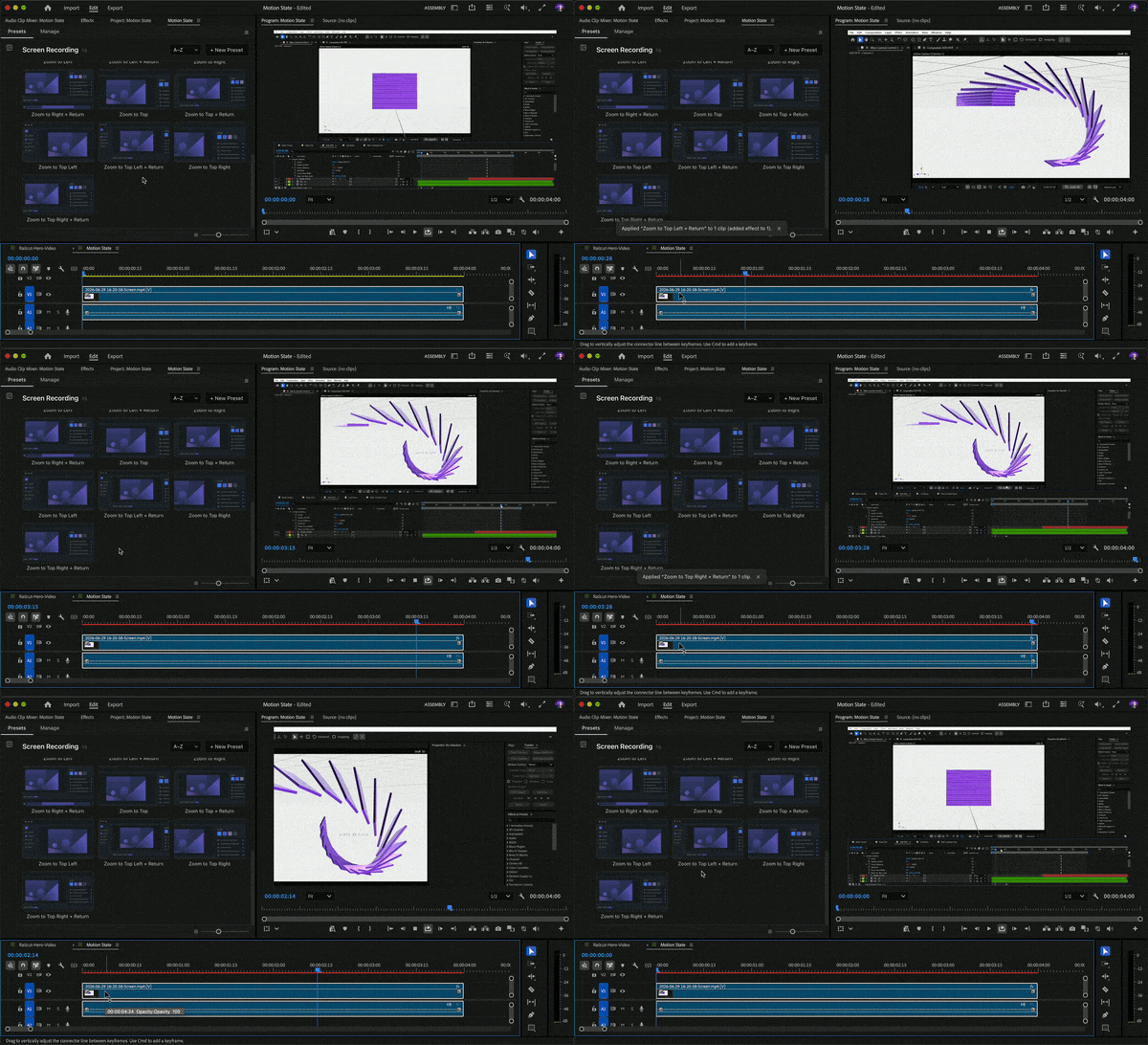
Browse and Apply Presets
An interactive gallery with live previews. One-click zooms, pans, reveals, picture-in-picture, and styles.
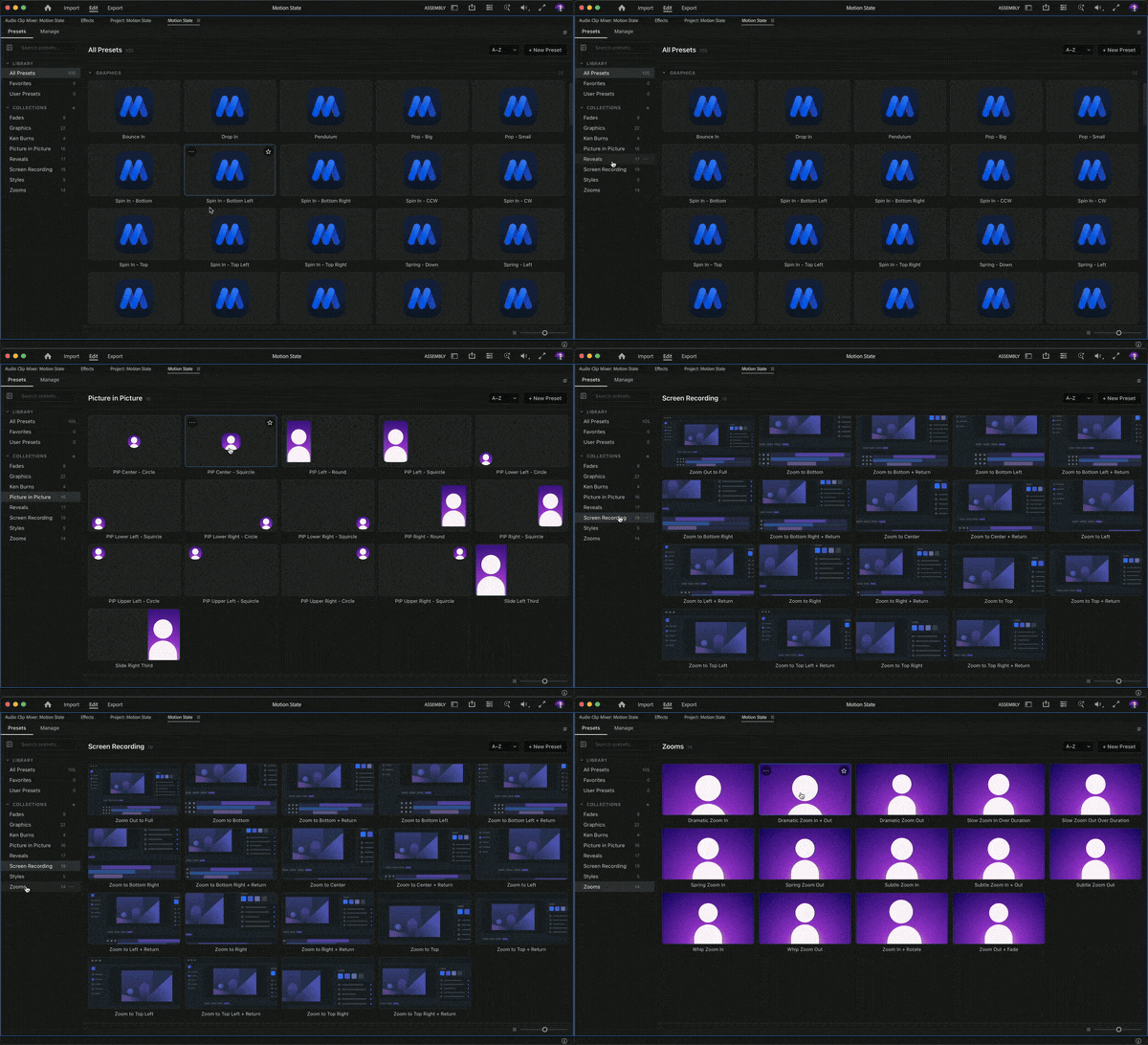
Make Your Own Library
Save any look as a preset, organize them into collections, customize thumbnails, and share preset packs with anyone.
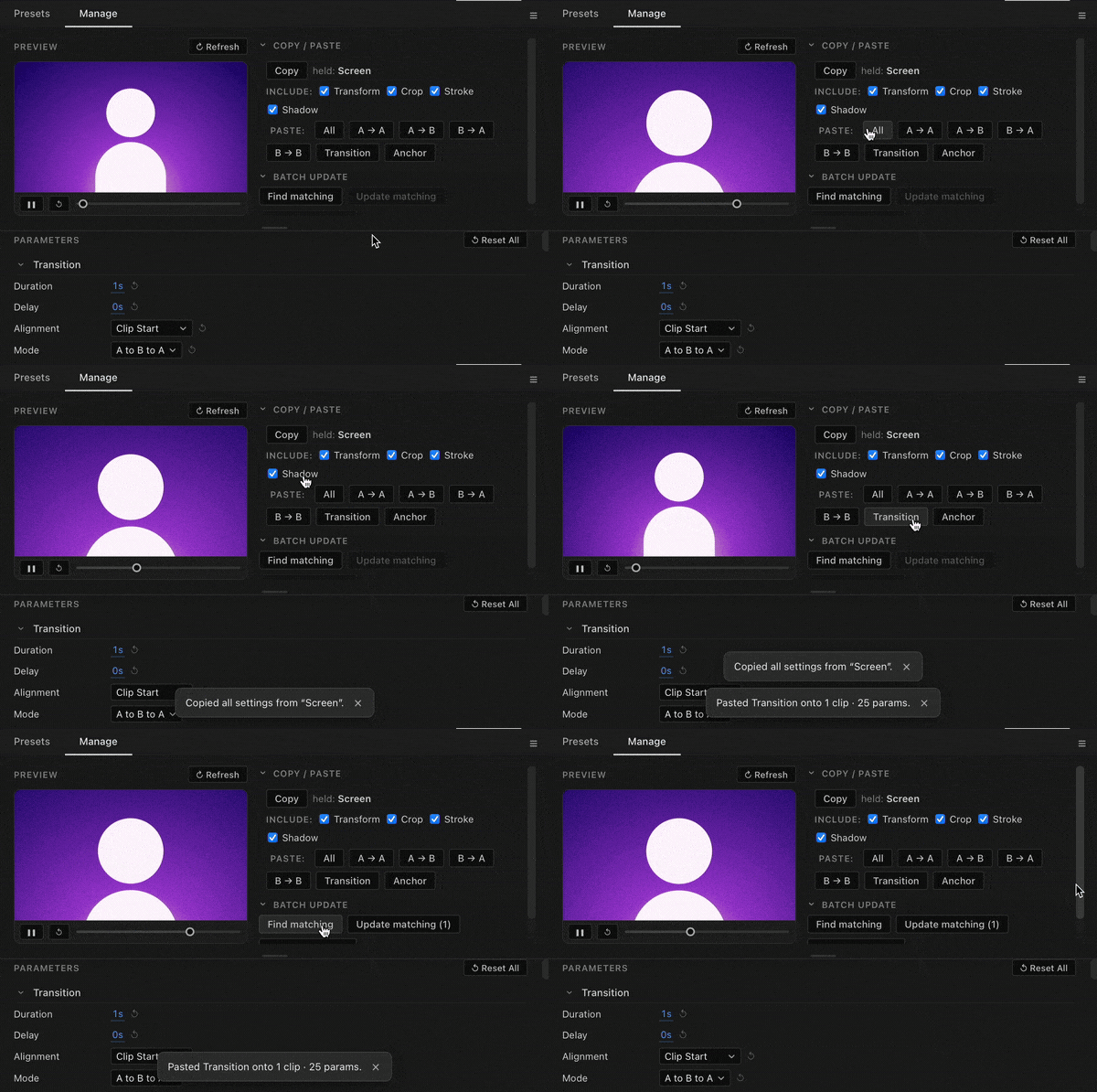
Stay In Control
Control Motion State with the effect controls or the extension. Copy and paste attributes across clips, or complete batch operations throughout the entire sequence.
Before You Buy
Compatibility
Premiere 2025 required
Motion State is built for Premiere 25.0 and newer. Older Premiere versions are not verified as supported.
Extension needs 25.6+
The companion panel requires Premiere 25.6 or newer, but is not required to use the effect.
Pricing
One-time purchase.
Buy Motion State once, use it on two machines, and get future updates for free.
$58
✓ GPU-accelerated Premiere effect
✓ Companion UXP panel
✓ 105 ready-to-use presets
✓ Two-seat license
✓ Free updates
✓ 7-day refund
Requires Premiere Pro 2025+
UXP panel requires Premiere Pro 25.6+
Mac and Windows

Hi, I'm Jake
I live in Denver, Colorado, with my wife, two kids, and a Dalmatian named Pixel. For more than a decade, I've been teaching motion designers how to work more efficiently.
You might have seen some of my 30+ Skillshare courses, one of my courses at School of Motion, or the motion design tutorials on my YouTube channel.
I also build custom tools for motion designers, with 70,000+ downloads and counting. I built Motion State to speed up my own editing workflow, and packed in every feature I could think of to make it as useful as possible.
I educate and build tools to create faster workflows for motion designers. Railcut exists because editing in After Effects was one of those workflows.
FAQ
Frequently
asked questions.
What exactly do I get?
Do I have to use keyframes?
Will it slow down my edit?
Is the plugin required?
Mac or Windows?
Ready?
Stop fighting your timeline.
Give your clips two states and let Motion State do the rest.
Get Motion State